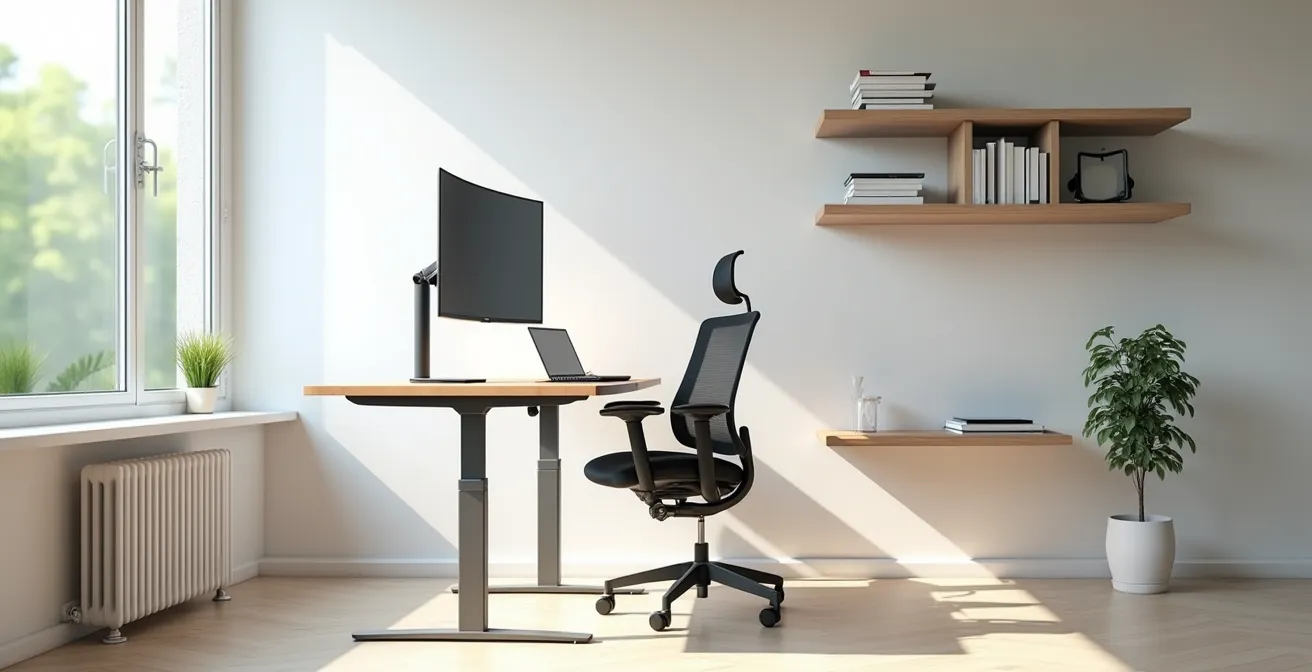
Chronic pain from remote work is not a requirement; it is a symptom of sustained biomechanical failure that can be clinically corrected.
- Your body is subjected to a constant, low-grade force from poor posture, leading to conditions like “tech neck” and carpal tunnel syndrome.
- The solution is a dynamic ergonomic system—combining the right equipment with prescribed movement—to counteract static loading on your spine and joints.
Recommendation: Treat your workspace setup as a medical prescription. Start by diagnosing the key postural errors and systematically implement the corrective measures outlined in this guide.
The shift to remote work has come with a silent epidemic: chronic physical discomfort. For many, a dull ache in the lower back, a sharp pain between the shoulder blades, or tingling in the wrists has become an accepted part of the workday. Conventional advice often suggests generic solutions like “buy a better chair” or “take more breaks.” While not entirely wrong, these recommendations fail to address the underlying pathology. They treat the symptom, not the cause.
The truth is that your home office setup is subjecting your body to continuous, low-grade biomechanical stress. This isn’t just about “bad posture”; it’s about physics. The force exerted on your spine, the compression of nerves in your wrist, and the strain on your shoulder muscles are measurable and damaging over time. The key is not simply to find a comfortable position, but to create an environment that promotes dynamic movement and neutral alignment. This guide moves beyond simple tips to provide a clinical framework. We will diagnose the specific ergonomic errors that lead to injury and prescribe targeted, evidence-based interventions to build a truly functional, pain-free workspace.
To begin diagnosing your own setup, the following video provides a focused look at a common point of failure: wrist and mouse position. It serves as an excellent primer for the level of detail required to correct your entire ergonomic kinetic chain.
This guide is structured to systematically deconstruct your workspace and rebuild it on a foundation of sound ergonomic principles. Each section addresses a critical point of failure, explaining both the biomechanical cause of pain and the clinical prescription for correcting it.
text
Summary: A Clinical Guide to an Ergonomic Home Office
- Why looking down at your laptop screen causes “tech neck” within 2 weeks?
- Gaming Chair vs. Office Mesh Chair: Which is better for an 8-hour shift?
- The elbow angle error that leads to carpal tunnel syndrome
- How to transition to a standing desk without hurting your feet and knees?
- When to take a micro-break to reset your spinal alignment?
- Why 4G acceleration causes untrained passengers to black out?
- How to start cardio outdoors if you are too anxious to enter a gym?
- How Regular Cardio Activity Reduces Anxiety Symptoms Faster Than Medication?
Why looking down at your laptop screen causes “tech neck” within 2 weeks?
The term “tech neck” is not hyperbole; it is a clinical diagnosis for repetitive stress injury to the cervical spine. The root cause is a simple principle of physics: leverage. Your head weighs approximately 10-12 pounds in a neutral, upright position. However, as you flex your neck forward to look down at a laptop screen, the biomechanical load on your spine increases exponentially. This is the primary catalyst for the rapid onset of pain.
The angle of flexion is directly proportional to the force exerted. At a 15-degree forward tilt, the force on your neck is about 27 pounds. At 30 degrees, it’s 40 pounds. By the time you reach a 60-degree angle, which is common when viewing a laptop placed on a desk, you are subjecting your cervical spine to an astonishing force. Research confirms that your neck must support the equivalent of 60 pounds of pressure at a 60-degree angle. This sustained static loading leads to muscle strain, nerve impingement, and disc-related issues within a very short period.
Correcting this requires elevating your screen so the top is at or slightly below eye level. For laptop users, this is non-negotiable and requires an external monitor or a laptop stand paired with an external keyboard and mouse. Failing to do so guarantees the development of musculoskeletal imbalances and persistent pain. This is the foundational error in most home office setups.
Gaming Chair vs. Office Mesh Chair: Which is better for an 8-hour shift?
The choice of seating is a critical clinical decision, yet it is often guided by aesthetics rather than function. Gaming chairs and ergonomic office chairs are designed with fundamentally different philosophies, making one far superior for sustained, productive work. A gaming chair is built for engaged recline—optimizing for media consumption and immersive experiences. An ergonomic office chair is built for active tasking—supporting a dynamic, upright posture required for work.
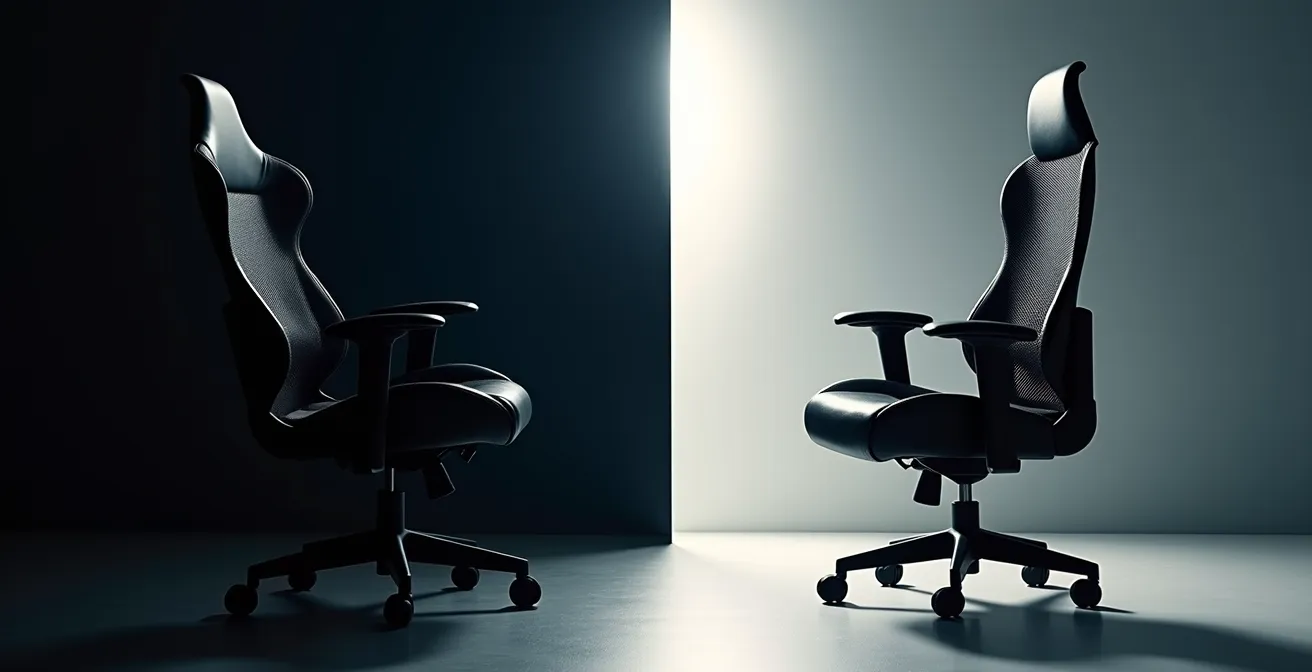
The visual and material differences are direct indicators of their intended purpose. Gaming chairs often feature high backrests with side bolsters, made of heat-retaining PU leather. This design cradles the body in a static, reclined position. In contrast, a high-quality mesh office chair is designed for breathability and, more importantly, dynamic support. Its key feature is adjustable lumbar support that moves with your body, encouraging micro-movements and maintaining the natural curve of your spine during forward-leaning tasks.
The following table, based on principles highlighted by ergonomic leaders like those at Herman Miller, breaks down the core differences from a functional perspective.
| Feature | Gaming Chair | Ergonomic Office Chair |
|---|---|---|
| Primary Design Philosophy | Engaged recline for media consumption | Active tasking with dynamic posture |
| Back Support | High backrest with side bolsters | Adjustable lumbar support |
| Material | Leather/PU with padding | Breathable mesh or fabric |
| Heat Management | Can retain heat, less breathable | Superior airflow, temperature neutral |
| Adjustability | Recline focus, limited ergonomic adjustments | Multiple adjustment points (lumbar, armrests, seat depth) |
| Best For | Mixed gaming/work, reclined positions | Extended desk work, upright posture |
For an 8-hour workday, the choice is clear. The superior adjustability and promotion of active sitting make the ergonomic office chair the only medically sound option for preventing postural failure and back pain.
The elbow angle error that leads to carpal tunnel syndrome
Carpal tunnel syndrome is a condition caused by compression of the median nerve as it passes into the hand. In an office environment, this compression is most often the result of a critical error in the kinetic chain: improper elbow and wrist positioning. The ideal setup is not a rigid rule but a range. To minimize strain on your wrists and forearms, your elbows should be positioned at your sides, creating a neutral, open angle.
Specifically, ergonomic guidelines recommend maintaining a 90-110 degree angle at the elbow. This position allows your wrists to remain straight, or in a neutral posture, while typing or using a mouse. When your keyboard is too high, it forces your wrists into extension (bent upwards); when it’s too low, it forces them into flexion (bent downwards). Both scenarios constrict the carpal tunnel and place immense strain on the tendons and nerves passing through it.
Furthermore, proper arm support is integral to this equation. Adjustable armrests on your chair should be set to a height that just supports your elbows, taking the weight off your shoulders without forcing them to shrug. As one physical therapist notes, this support is not a luxury but a necessity for the entire upper body.
Without a place to put your elbows, your neck and upper back muscles will have to work harder to support the weight of your arms, and you’ll also inherently apply more pressure to your wrists while using a keyboard and mouse.
– Craig Vecchiarelli, Physical therapist specializing in home work setups
This single error—a poor elbow angle—creates a cascade of biomechanical issues, from wrist pain up to the neck and shoulders. Correcting it is a simple but powerful intervention for preventing repetitive strain injuries.
How to transition to a standing desk without hurting your feet and knees?
A standing desk is a powerful tool for combating the dangers of a sedentary workday, but implementing it incorrectly can trade one set of musculoskeletal problems for another. Transitioning from sitting all day to standing for hours is a shock to the body’s support structures, primarily the feet, knees, and lower back. A sudden, prolonged period of standing on a hard surface can lead to plantar fasciitis, joint pain, and venous pooling. The key to a successful transition is gradual adaptation and dynamic movement.

The goal is not to stand all day, but to alternate between sitting and standing. A highly effective, research-backed protocol is the “20-8-2 Rule.” As detailed in research from Cornell University’s ergonomics program, this pattern involves 20 minutes of sitting, 8 minutes of standing, and 2 minutes of moving or stretching. This cycle breaks up static loading and keeps muscles engaged without causing fatigue.
In addition to a structured schedule, several tools are essential for a pain-free transition. An anti-fatigue mat provides crucial cushioning to reduce the impact on your joints and spine. Supportive footwear is non-negotiable; working barefoot or in unsupportive slippers on a hard floor is a recipe for injury. Finally, a small footrest allows you to shift your weight and elevate one foot at a time, altering the load on your hips and lower back. This constant, subtle movement is the essence of active standing.
When to take a micro-break to reset your spinal alignment?
The most dangerous aspect of desk work is not sitting itself, but static loading—the act of holding any single posture for a prolonged period. Even a “perfect” ergonomic posture will become damaging if held for too long, as it causes muscle fatigue, reduced blood flow, and eventual postural failure. Micro-breaks are the clinical antidote to static loading. Their purpose is not simply to rest, but to actively reset your spinal alignment and re-engage dormant muscles.
The ideal frequency for a movement break is approximately every 30 minutes. This is not an arbitrary number; it’s the point at which most people’s postural support muscles begin to fatigue, leading to slouching, head propping, and other harmful compensations. You don’t need to wait for a timer; your body provides clear warning signs that a reset is needed. Notice if you are propping your head on your hand, feeling tension build between your shoulder blades, or constantly fidgeting to find a comfortable position. These are all indicators of postural failure.
A micro-break does not need to be long. A 30-60 second interval is enough to perform a few simple movements: stand up, reach for the ceiling, perform a few shoulder rolls, and gently tuck your chin to stretch the back of your neck. For visual fatigue, the “20-20-20 rule” is an excellent complementary practice: every 20 minutes, look at an object 20 feet away for 20 seconds. These small, consistent resets are more effective at preventing cumulative strain than one long break every few hours.
Why 4G acceleration causes untrained passengers to black out?
When a fighter pilot executes a high-speed turn, their body is subjected to immense gravitational forces, or “G-forces.” At 4Gs, the body effectively weighs four times its normal amount. This force pulls blood away from the brain and down toward the lower extremities, causing a loss of vision and eventually consciousness, known as G-LOC (G-induced Loss of Consciousness). This is an example of an acute, high-intensity biomechanical load. Your body at a desk experiences a different, but equally insidious, version of this phenomenon.
Sitting with poor posture—specifically, with the forward head position characteristic of “tech neck”—imposes a chronic, low-grade G-force on your cervical spine. While a 60-pound load on your neck won’t cause you to black out, its sustained application over months and years leads to a different kind of system failure: degenerative changes in your discs, chronic muscle strain, and nerve compression. It is a slow, cumulative breakdown caused by a constant, unnatural force.
This sustained load is what makes sedentary work so damaging. The body is designed for movement, not for bearing a static load in one position for eight hours a day. Just as an untrained passenger cannot withstand the acute force of 4G acceleration, the human spine was not evolved to withstand the chronic force of poor desk ergonomics. Both lead to system failure; one is just a matter of seconds, the other a matter of years.
How to start cardio outdoors if you are too anxious to enter a gym?
Correcting your desk setup is only half of the ergonomic equation. The other half is rehabilitating a body that has been deconditioned by a sedentary lifestyle. The pain and stiffness experienced by remote workers are epidemic; indeed, data suggests that up to 90% of remote workers experience increased musculoskeletal pain. Regular cardiovascular activity is a critical prescription for counteracting this damage, yet the prospect of a crowded gym can be a significant barrier for many. Outdoor walking provides an accessible, low-impact, and effective alternative.
The goal is not to train for a marathon, but to reintroduce movement as a daily habit. A simple walk can be transformed into a targeted ergonomic reset. It mobilizes joints that have been locked in place, stretches muscles that have been shortened and compressed from sitting, and improves blood flow to damaged tissues. For those feeling anxious, starting outdoors removes social pressure and allows focus to be placed entirely on the movement itself.
The following plan outlines how to turn a simple walk into a therapeutic mission to reverse the effects of sitting. This is not just exercise; it is targeted physical therapy.
Action Plan: Your Ergonomic Reset Walk
- Initial Dose: Start with a 10-minute walk after each 2-hour block of deep work. This breaks the sedentary cycle.
- Visual Reset: Focus your gaze on the distant horizon to allow the ciliary muscles in your eyes, strained from screen focus, to relax.
- Shoulder Mobilization: While walking, practice deliberate arm swings to mobilize the shoulder joints that are often frozen from typing.
- Spinal Decompression: Walk tall with your shoulders pulled back and down, consciously creating length in your spine to counteract the compression from sitting.
- Gait Activation: Concentrate on a smooth, heel-to-toe walking pattern to activate your glutes and hamstrings, which become inhibited from prolonged sitting.
By framing outdoor cardio as a specific prescription for your work-induced ailments, you can overcome anxiety and begin the crucial process of active recovery.
Key Takeaways
- Ergonomics is not about finding one perfect static posture; it is about managing biomechanical loads on your body through dynamic movement and neutral alignment.
- Your equipment, especially your chair, must be chosen for its ability to support active tasking and encourage micro-movements, not for passive comfort.
- A truly ergonomic lifestyle requires a holistic approach: correcting your physical workspace is the first step, but it must be complemented by prescribed movement and recovery habits like breaks and cardio.
How Regular Cardio Activity Reduces Anxiety Symptoms Faster Than Medication?
The connection between physical activity and mental well-being is well-established, but its relevance to the remote worker goes deeper than general stress relief. The chronic anxiety and tension many experience are directly linked to the physiological consequences of poor ergonomics. One of the most significant and under-appreciated connections is between posture and breathing. Forward Head Posture (FHP), the hallmark of “tech neck,” has a direct and detrimental impact on respiratory function.
As documented by clinical research, FHP causes a morphological change in the torso: the upper thorax expands while the lower thorax contracts. This physically restricts the movement of the diaphragm, leading to shallow, inefficient breathing patterns. This state of low-grade hypoxia can trigger or exacerbate feelings of anxiety. Regular cardiovascular activity, such as brisk walking, jogging, or cycling, directly counteracts this.
Cardio forces the body to breathe more deeply and efficiently, strengthening the diaphragm and improving thoracic mobility. This not only increases oxygen supply to the brain, which has a calming effect, but it also begins to correct the very postural imbalances that caused the poor breathing in the first place. This is why the anxiolytic effects of exercise can be so rapid and profound. It is not just a chemical release of endorphins; it is a physical and mechanical restoration of the body’s fundamental systems that have been compromised by a sedentary work life.
Therefore, integrating regular cardio is not merely a “healthy habit”—it is a direct, clinical intervention to treat the systemic consequences, both physical and psychological, of poor ergonomics. It is a necessary part of a complete prescription for the health of a remote worker.
By viewing your home office through this clinical lens, you can move from passively enduring pain to actively engineering a workspace that supports your health. Start today by performing a self-audit: identify your primary point of postural failure and implement one corrective measure from this guide.
Frequently Asked Questions on Home Office Ergonomics
How often should I take micro-breaks?
Movement breaks should occur once every 30 minutes, allowing your body to use different muscles and reset posture.
What are the warning signs I need a break?
Propping your head on your hand, tension between your shoulder blades, or constant fidgeting indicate that your postural muscles have fatigued and a reset is necessary.
What’s the 20-20-20 rule for eye strain?
Every 20 minutes, focus on an object 20 feet away for 20 seconds. This simple exercise allows the focusing muscles inside your eyes to relax, significantly reducing digital eye strain.