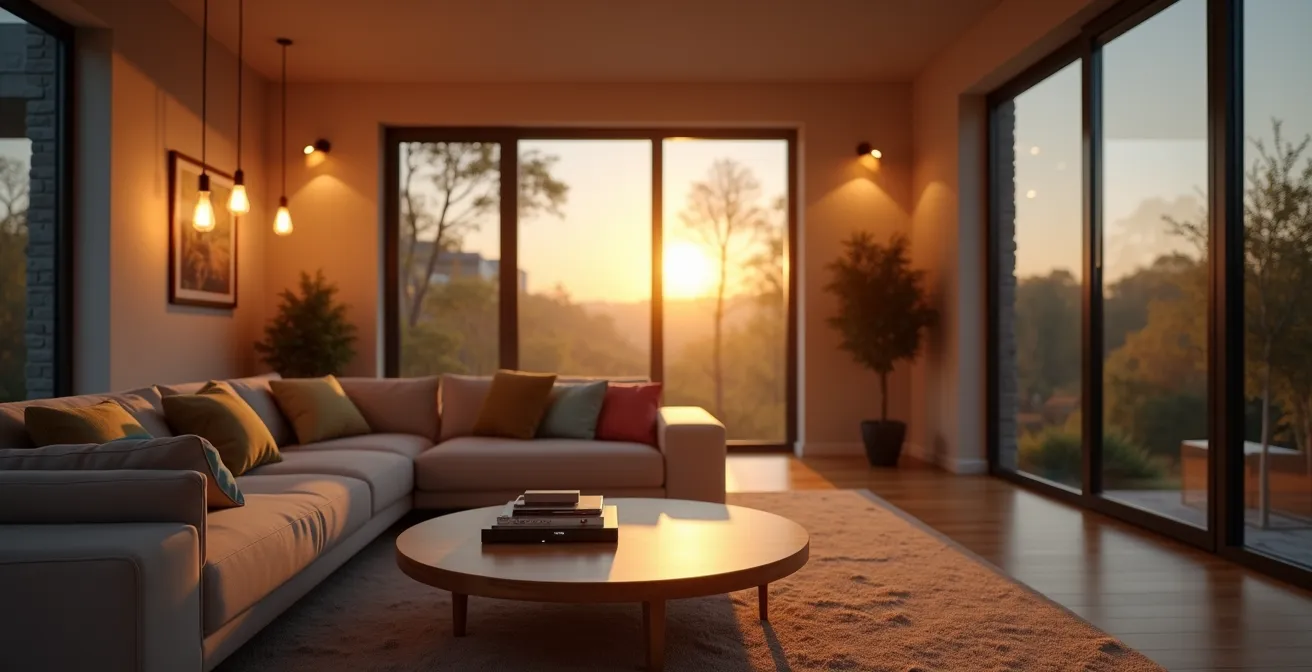
True lighting savings are not found by simply swapping bulbs, but by mastering the hidden, system-level inefficiencies that most homeowners and landlords overlook.
- Incompatible hardware like old dimmer switches can cause flickering and premature failure, negating your initial investment.
- “Vampire power” from smart devices in standby mode can secretly add up, accounting for 5-10% of your total lighting energy costs.
Recommendation: To maximize savings, conduct a full audit of your lighting ecosystem—bulbs, controls, and schedules—not just a simple bulb-for-bulb replacement.
As an energy auditor, I’ve seen countless homeowners and landlords fixate on one thing: the high cost of their electricity bill. The most common advice they receive is simple: switch your old incandescent bulbs to modern, low-energy LEDs. While this is sound advice, it’s only the first chapter of the story. Many people make the switch and are disappointed when the savings on their annual utility bills don’t quite match the hype. They’ve addressed the most obvious symptom but ignored the underlying causes of energy waste.
The conversation often stops at a basic wattage comparison, but the real financial drains are more subtle. These include incompatible dimmer switches that shorten bulb lifespan, the persistent “vampire power” drawn by smart devices even when they’re off, and inefficient lighting schedules that illuminate empty rooms. The true path to significant, predictable savings isn’t just about changing a light source; it’s about optimizing an entire lighting ecosystem.
This guide moves beyond the basics. We will dissect the technical nuances that determine real-world savings, from understanding lumen efficiency and color temperature to programming smart systems and identifying the hidden energy costs you’re not tracking. By the end, you’ll be equipped with an auditor’s mindset, ready to transform your lighting from a necessary expense into a finely tuned, cost-saving asset.
This article provides a comprehensive breakdown of every factor influencing your potential savings. We’ll explore the science behind LED brightness, the financial impact of color choices, the technical pitfalls to avoid, and the advanced strategies that unlock maximum efficiency.
Summary: A Homeowner’s Guide to Realizing Maximum LED Savings
- Why replacing a 60W bulb with a 9W LED maintains the same brightness?
- Warm White vs. Daylight: Which LED saves energy while keeping the room cozy?
- The compatibility error that causes your new LEDs to flicker and buzz
- How to program smart lights to turn off automatically and save 15% more?
- When to replace LED bulbs before they lose their efficiency?
- Cloud vs. Edge Computing: Which is truly more energy efficient for your plant?
- Why 40% of your company’s software spend is on credit cards you don’t track?
- How Digital Twins Are Reducing Industrial Waste by 40% in Manufacturing?
Why Replacing a 60W Bulb With a 9W LED Maintains the Same Brightness?
The most fundamental saving with LEDs comes from their superior efficiency in converting electricity into light. A traditional 60-watt incandescent bulb is a miniature heater that incidentally produces light; the vast majority of its energy is lost as heat. An LED, by contrast, is a highly focused light-producing machine. According to the U.S. Department of Energy, residential LEDs use at least 75% less energy while producing the same amount of light, measured in lumens.
This is why a 9W LED can effectively replace a 60W incandescent. Both might produce around 800 lumens, but the LED achieves this with a fraction of the power. This efficiency gap is the primary driver of your immediate cost savings. For every hour the light is on, you are paying for 9 watts of electricity instead of 60.
However, perceived brightness isn’t just about lumens. It’s also about light quality, measured by the Color Rendering Index (CRI). CRI indicates how accurately a light source reveals the true colors of objects. Cheaper LEDs often have a low CRI (around 80), which can make colors appear dull or washed out. High-CRI LEDs (90+) render colors more vividly and naturally. As a result, a space illuminated with high-CRI light often feels subjectively brighter and more pleasant at the same lumen level, because the quality of the light is superior. Investing in high-CRI bulbs ensures you get excellent perceived brightness without needing to increase wattage, securing both visual comfort and energy savings.
Warm White vs. Daylight: Which LED Saves Energy While Keeping the Room Cozy?
From a pure physics standpoint, there is no inherent difference in energy consumption between an LED bulb of a “Warm White” color temperature (typically 2700K) and a “Daylight” bulb (5000K+) of the same wattage. A 9W warm white bulb uses the same 9 watts as a 9W daylight bulb. The real impact on your energy bill is not direct, but behavioral and psychological.
The choice of color temperature dramatically influences the atmosphere of a room and, consequently, how you use it and other energy-consuming systems. Warm White light, with its yellowish, candle-like glow, promotes relaxation and comfort. It’s ideal for living rooms and bedrooms, creating a cozy ambiance. This feeling of warmth can have a tangible effect; studies suggest people in warmly lit rooms are comfortable at slightly lower ambient temperatures, potentially allowing you to lower your thermostat by a degree or two in winter, creating secondary energy savings.
Conversely, Daylight or Cool White light mimics natural daylight, emitting a crisp, blue-toned light that boosts alertness and focus. This makes it perfect for task-oriented spaces like home offices, kitchens, and garages. By improving visibility and concentration, you can complete tasks more efficiently, potentially reducing the total time lights need to be on. The key is to match the light to the function of the space.
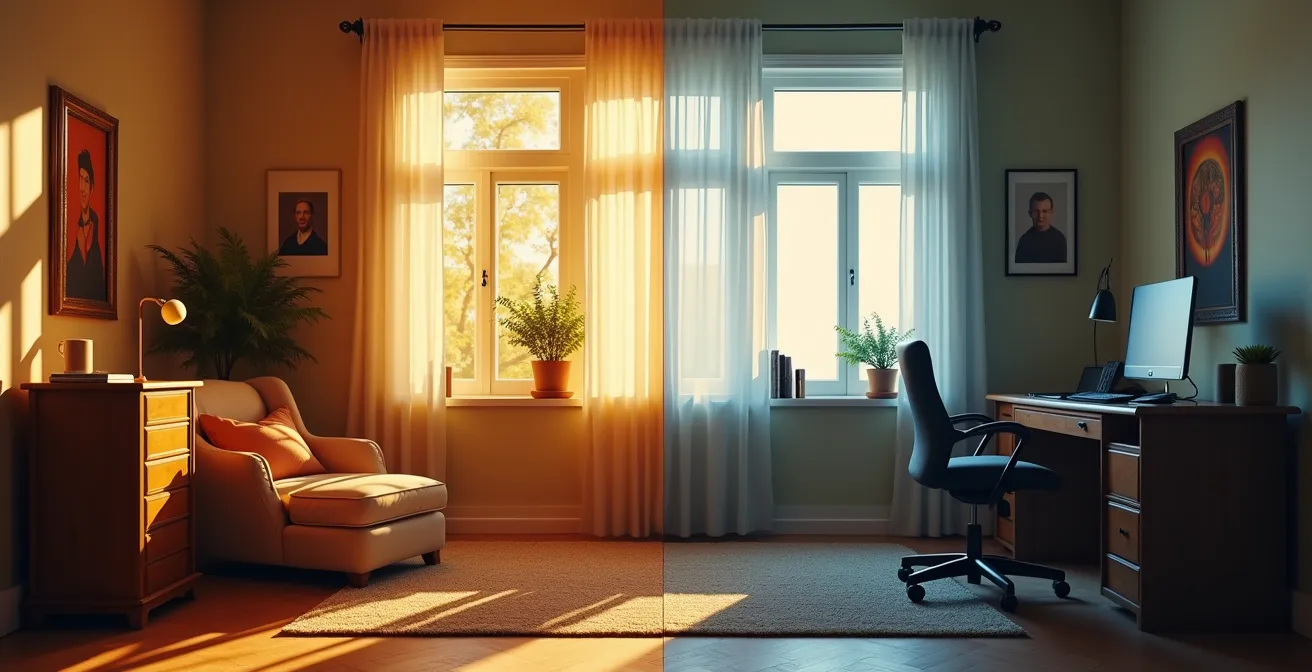
A strategic lighting plan uses both. By zoning your home with the appropriate color temperatures, you optimize for both comfort and productivity. This creates a more pleasant living environment and indirectly contributes to energy savings by influencing your behavior and interaction with other systems like heating and cooling.
The Compatibility Error That Causes Your New LEDs to Flicker and Buzz
One of the most common and frustrating issues homeowners face after an LED upgrade is flickering, buzzing, or premature bulb failure. The culprit is rarely the bulb itself but a fundamental incompatibility within the lighting ecosystem, most often with an existing dimmer switch. This is a critical point where promised savings can evaporate into replacement costs and frustration.
Older dimmer switches were designed for the high-wattage, resistive loads of incandescent bulbs. They work by chopping up the AC power wave to reduce the energy delivered. LEDs, being complex electronic devices with their own internal drivers, require a tiny amount of power to operate and are highly sensitive to how that power is delivered. When paired with an old dimmer, this “chopped” waveform can confuse the LED’s driver, leading to a host of problems:
- Flickering: The driver struggles to interpret the inconsistent power signal.
- Buzzing: The internal components of the bulb or the dimmer itself vibrate at an audible frequency.
- Incomplete Dimming: The bulb may not dim smoothly or may turn off abruptly at low levels.
- Premature Failure: The constant electrical stress can damage the LED’s driver, drastically shortening its 20,000-hour lifespan.
The financial impact is twofold. First, you lose the long-term value of your LED investment. Second, as highlighted in analyses of commercial installations, using cheap or incompatible components can lead to a cascade of failures, potentially damaging the dimmer switch itself. To avoid this, it’s essential to use dimmers specifically rated for LEDs (often labeled as “CFL/LED” or “ELV/MLV” compatible). Investing in a certified, compatible LED and dimmer system is not an upsell; it’s a foundational requirement for achieving the advertised lifespan and long-term savings of your lighting upgrade.
How to Program Smart Lights to Turn Off Automatically and Save 15% More?
Simply installing LEDs is the first step. The next level of savings—and where the “smart” in smart lighting truly pays off—comes from automation. Manually flipping switches is inherently inefficient; people forget, or they leave lights on for convenience. By programming your lights to operate automatically based on your actual needs, you eliminate this human-error-driven waste. Integrating smart controls can unlock 15-30% additional savings on top of the efficiency gains from the bulbs themselves.
Effective programming goes beyond simple timers. It involves creating a responsive system that adapts to your household’s patterns. The most impactful strategies involve presence detection and scene setting. Geofencing, for instance, links your lights to your smartphone’s location, automatically turning everything off when the last person leaves and turning select lights on upon arrival. This single feature eradicates the all-too-common problem of leaving lights on all day.
Similarly, motion sensors are incredibly effective in transitional or low-traffic areas like pantries, laundry rooms, and garages. By setting a short inactivity timeout (e.g., 5 minutes), you ensure these lights are only on when absolutely necessary. For living spaces, “scenes” offer a more sophisticated approach. A “Movie Night” scene might dim living room lights to 20% while turning others off, while a “Cooking” scene brings the kitchen to full brightness. This tailored approach ensures you only use the exact amount of light needed for any given activity, moving beyond a simple “on/off” binary to a truly efficient, granular level of control.
Action Plan: Smart Lighting Programming for Maximum Savings
- Geofencing: Set up a routine in your smart lighting app (e.g., Philips Hue, Google Home) to turn all lights off automatically when the last family member’s phone leaves the designated home area.
- Motion Sensors: Install smart motion sensors in hallways, bathrooms, and closets, and program the associated lights to turn off after 3-5 minutes of inactivity.
- Activity Scenes: Create and use activity-based scenes. For example, a “Dinner” scene that lights the dining area to 80% and the kitchen to 30%, or a “Goodnight” scene that turns off all lights instantly.
- Daylight Harvesting: If you have rooms with ample natural light, use daylight sensors to automatically dim indoor lights when the sun is bright and increase them as it gets dark, maintaining consistent light levels effortlessly.
- Smarter Scheduling: Instead of a fixed “on at 6 PM, off at 11 PM” schedule, create schedules that adapt to your life. For example, dim lights to 10% an hour before bedtime as a “wind-down” signal.
When to Replace LED Bulbs Before They Lose Their Efficiency?
Unlike incandescent bulbs that fail abruptly, LEDs die a slow death. They don’t typically “burn out”; they gradually dim over their extensive lifespan, a process known as lumen depreciation. An LED bulb is generally considered at the end of its useful life when its light output has fallen to 70% of its initial brightness (a metric called L70). While the bulb may still light up, you are paying full price for a significantly diminished product. Knowing when to proactively replace an aging LED is a financial decision, not just a functional one.
The economic tipping point for replacement occurs when the cost of running a dim, inefficient bulb outweighs the cost of a new, more efficient one. Imagine a 5-year-old 10W LED that has dimmed by 30%. You’re still paying for 10 watts of power but only receiving the light output equivalent to a 7W bulb. Meanwhile, a brand-new 7W LED might produce that same amount of light while saving you 3 watts of power every hour. Over a year, those savings can easily justify the cost of the new bulb.
There are several tell-tale signs that an LED is nearing its economic replacement point. The most obvious is visible dimming, especially when compared to a newer bulb. Another key indicator is color shifting. As the internal phosphor coating degrades, a warm white bulb might start to appear pinkish or greenish, a clear sign of aging. Finally, listen for new or increased buzzing and watch for flickering, especially when other appliances are turned on. These symptoms often point to a failing internal driver, a critical component that regulates power. Performing a quick audit of your lighting every few years to check for these signs ensures you’re not paying for “retired-in-place” technology.
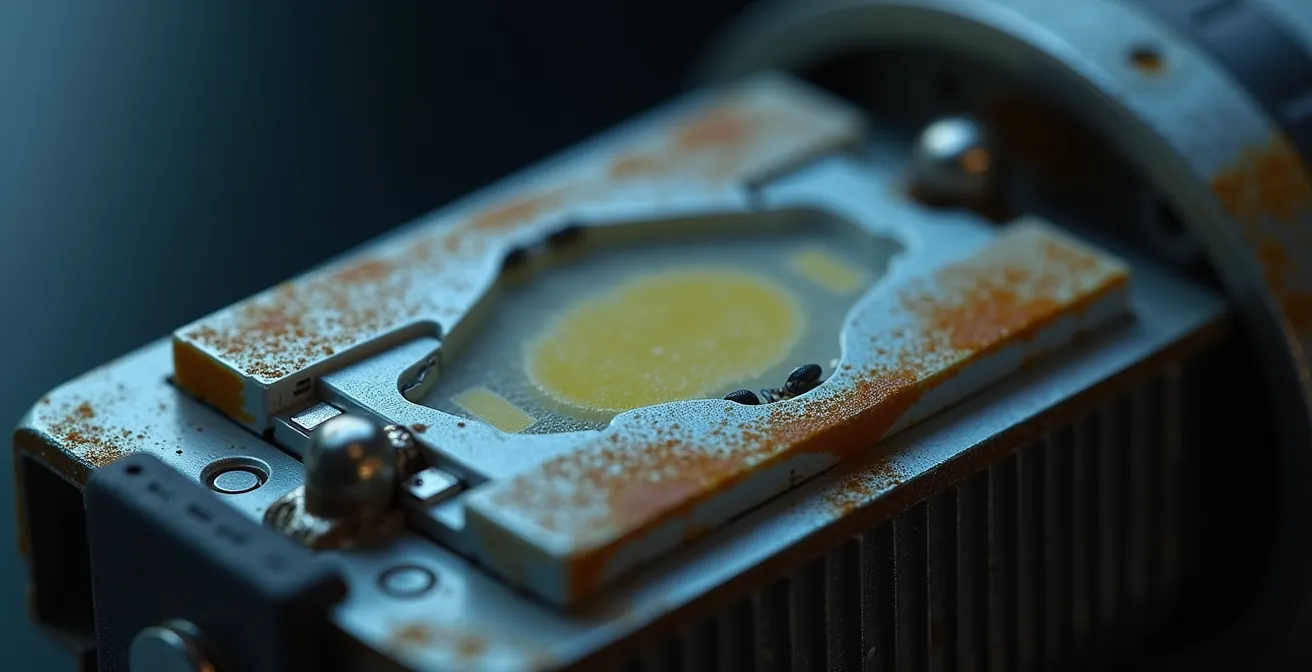
A proactive replacement strategy, guided by a periodic tech audit, is key to maintaining peak efficiency. Rather than waiting for a bulb to fail completely, you replace it when it no longer makes financial sense to keep it, ensuring your lighting system consistently operates at the best possible lumens-per-watt.
Cloud vs. Edge Computing: Which is Truly More Energy Efficient for Your Plant?
When scaling up a smart lighting system, especially for a larger home or a rental property portfolio, the system’s architecture becomes a critical factor in its overall energy efficiency. The choice between a “Cloud” (hub-based) and “Edge” (Wi-Fi bulb) architecture isn’t just about convenience; it has direct implications for standby power consumption and reliability. While this concept is often discussed for industrial plants, the principles apply directly to residential setups.
In a Cloud-based system (like Philips Hue with its Bridge), a central hub processes all commands. The individual bulbs (e.g., Zigbee or Z-Wave) are low-power devices. The intelligence and heavy lifting are handled by the hub, which is always on. This architecture is generally more efficient for larger installations (10+ bulbs) because the standby power consumption of each individual bulb is minimal. The main energy draw comes from the single, optimized hub.
In an Edge computing system, each smart device—typically a Wi-Fi bulb—has its own processing power and connects directly to your router. There is no central hub. While this simplifies setup for a small number of bulbs, it means each bulb consumes more standby power to maintain its Wi-Fi connection and processing capabilities. For a small setup (under 10 bulbs), this is often negligible. But in a large home with 50+ Wi-Fi bulbs, this cumulative standby power can become a significant source of energy waste compared to a single, efficient hub.
The table below breaks down the key differences, helping you choose the right architecture for your needs. A case study of a manufacturing plant showed that for large-scale deployments, a centralized cloud system saved 12% more energy due to optimization algorithms, while smaller, decentralized edge systems were more efficient and resilient for limited applications.
| System Type | Architecture | Standby Power | Reliability | Best For |
|---|---|---|---|---|
| Cloud (Hub-based) | Central bridge processes all commands | Lower per bulb + hub consumption | Depends on internet connection | 10+ bulbs installations |
| Edge (Wi-Fi bulbs) | Intelligence in each device | Higher per bulb, no hub needed | Functions locally without internet | Under 10 bulbs setups |
Why 40% of Your Company’s Software Spend is on Credit Cards You Don’t Track?
This surprising statistic from the corporate world provides a perfect analogy for a hidden cost in many homes: untracked energy spending. In business, “shadow IT” refers to software subscriptions that fly under the radar, slowly draining the budget. In your home, the equivalent is vampire power, also known as phantom load. This is the electricity consumed by smart lighting components and other electronics while they are in standby mode—off, but not fully disconnected from power.
Just as a company loses money on forgotten subscriptions, a homeowner loses money on devices that are constantly drawing a small amount of power. A smart lighting system is a prime example. The central hub, Wi-Fi repeaters, and each individual smart bulb’s internal electronics all consume energy 24/7 just to stay connected and ready for a command. While the draw of a single device is tiny (often less than a watt), the cumulative effect across an entire home can be substantial.
Energy audits consistently reveal that standby consumption can account for a staggering 5-10% of total lighting energy costs. One analysis found a household wasting $45 annually from the vampire power of its smart lighting system alone. That’s the financial equivalent of leaving a standard LED bulb on continuously for six months of the year. To uncover these hidden costs, you need to conduct a home energy audit. Using a simple tool like a Kill A Watt meter, you can measure the standby consumption of your smart hubs, transformers, and a sample of your bulbs. By multiplying this standby wattage by the number of devices and hours in a year, you can calculate your annual “vampire power” cost and identify opportunities to reduce it, such as by grouping devices on a smart plug that can be fully turned off during sleep hours.
Key Takeaways
- System-Level Savings: True efficiency comes from optimizing the entire lighting ecosystem (bulbs, dimmers, controls), not just swapping bulbs.
- Hidden Costs are Real: Incompatible dimmers and standby “vampire power” can significantly erode your potential savings if not actively managed.
- Automation is Key: Programming smart lights with geofencing, motion sensors, and activity-based scenes can cut lighting energy waste by an additional 15-30%.
How Digital Twins Are Reducing Industrial Waste by 40% in Manufacturing?
The concept of a “digital twin”—a virtual model of a physical object or system—is revolutionizing manufacturing by allowing companies to simulate changes and optimize processes without costly real-world trial and error. While creating a full-scale digital twin of your home might seem futuristic, the principle is already accessible to every homeowner through modern smart lighting apps. These apps function as simple, powerful digital twins for your lighting system.
Instead of guessing what dimming level is sufficient for a room or how a particular “scene” will feel, apps like Philips Hue or Google Home allow you to experiment virtually. You can create and test different lighting scenes, adjust brightness levels, and tweak color temperatures from your phone, seeing the results instantly without any physical rewiring or long-term commitment. This process of virtual simulation is a direct application of the digital twin concept.
One smart home user, for instance, reported a 23% reduction in their lighting energy consumption simply by using their app’s simulator. They systematically tested lower brightness levels in each room, discovering that the living room was perfectly comfortable at 65% brightness instead of 100%, and hallways were safe and functional at just 30%. These small, individual adjustments, identified without any cost or effort through the “digital twin” of their app, added up to significant annual savings. This approach empowers you to find the perfect balance between comfort and efficiency, squeezing every last drop of value from your investment. The widespread adoption of this kind of smart control is a major reason why the Department of Energy projects that LEDs could save a cumulative 569 TWh annually by 2035 in the U.S. alone.
By shifting your perspective from simple bulb replacement to holistic system optimization, you unlock the full financial potential of modern lighting. The true savings are found not in a single component, but in the intelligent harmony of all parts working together. To translate these insights into real dollars, your next step is to conduct a simple audit of your home’s lighting ecosystem to identify and eliminate these sources of hidden waste.